How do I check if my educational discount has been applied?
How do I check if my discount has been applied?
When you're logged into your Maktab/Madrasah account, your 30% educational discount is applied automatically — you don't need to enter a code.
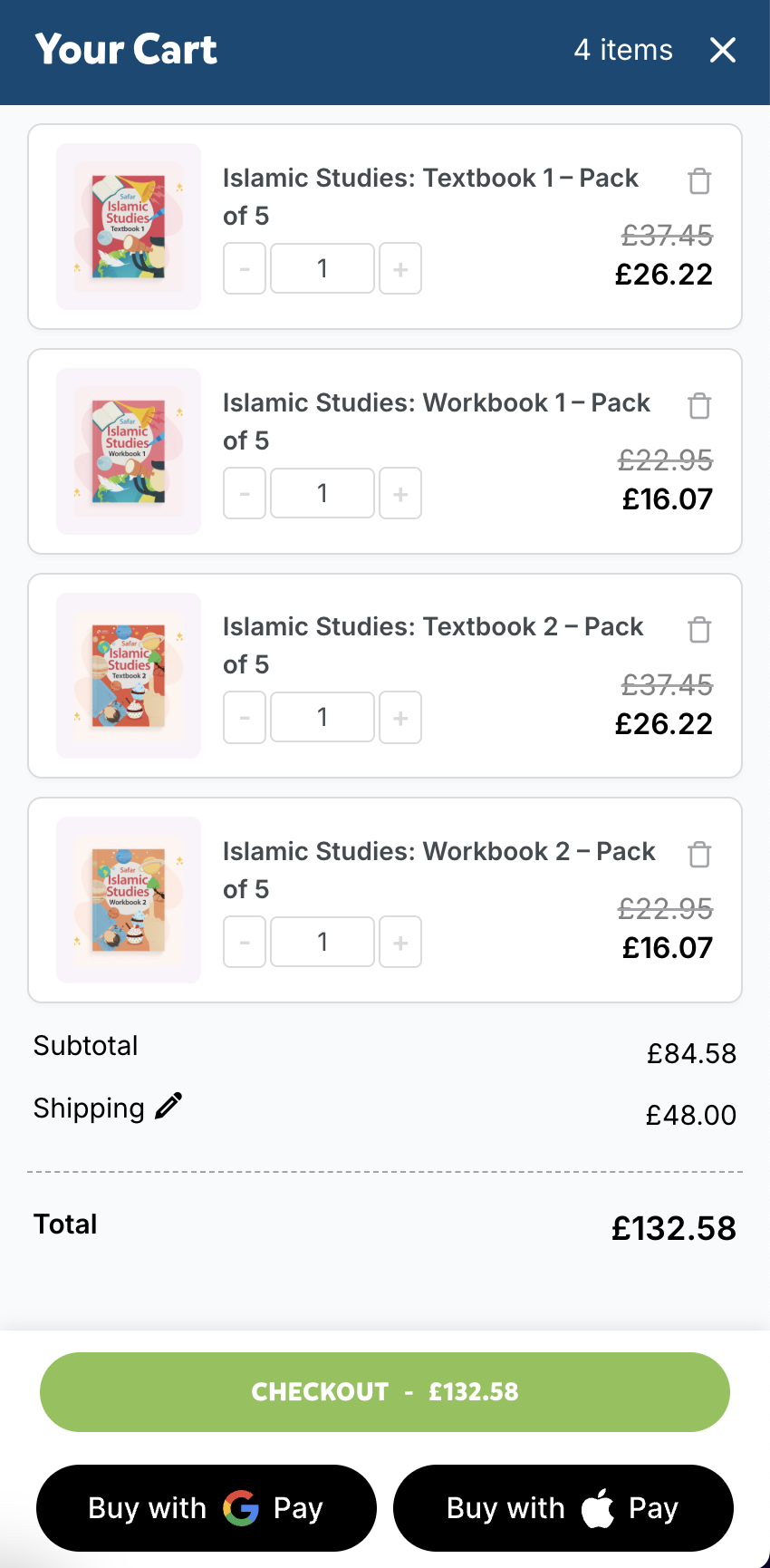
To confirm the discount is active, check your basket:
- The discounted price will be shown on each item (30% lower than the standard price)
- You'll see the discount as shown in the image below:
Not seeing the discount?
Try logging out and back into your account. If prices still appear at full RRP, get in touch and we'll check your account:
- 📧 [email protected] — we aim to respond within 1 business day
- 📞 +44 7415 220785 (Mon–Fri, 9am–5pm UK time)
- 📅 Book a call — pick a time that works for you, shown in your local timezone
- Visit our Help Centre for more options